athenaAmbient Feature Overview — Beta
Simplifying clinical documentation
athenaAmbient is our embedded ambient solution included with athenaOne — at no additional cost. Simply by having athenaOne, you'll also have athenaAmbient, but you won't be able to switch to another ambient model, unless your organization also has the Ambient Notes add-on service. athenaAmbient is available in both athenaOne Mobile and athenaOne desktop. By using generative AI technology and ambient listening to generate draft notes and populate structured diagnoses in the Assessment and Plan section (A&P), athenaAmbient empowers clinicians to focus on what matters most — delivering high-quality patient care.
How athenaAmbient works
Watch a demo video
View a slide show for athenaOne desktop
Click  on the far right below to advance to the next slide.
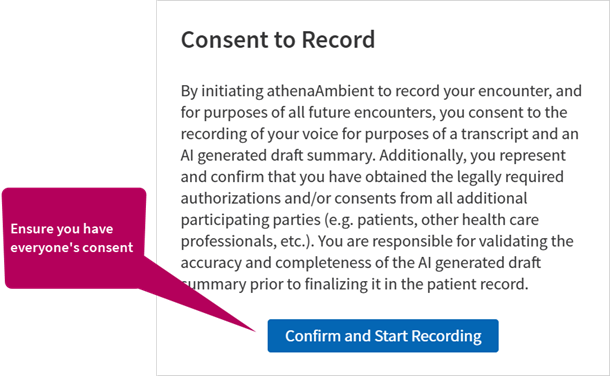
Start recording

Confirm consent
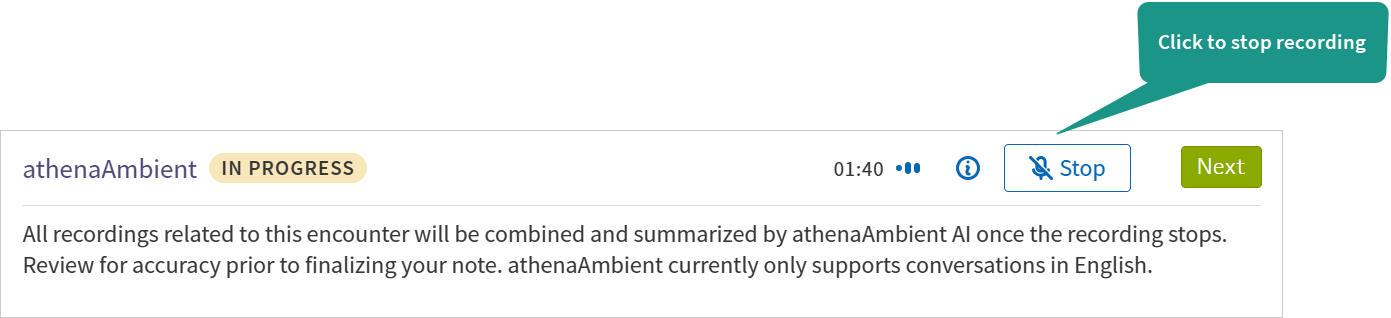
Stop recording
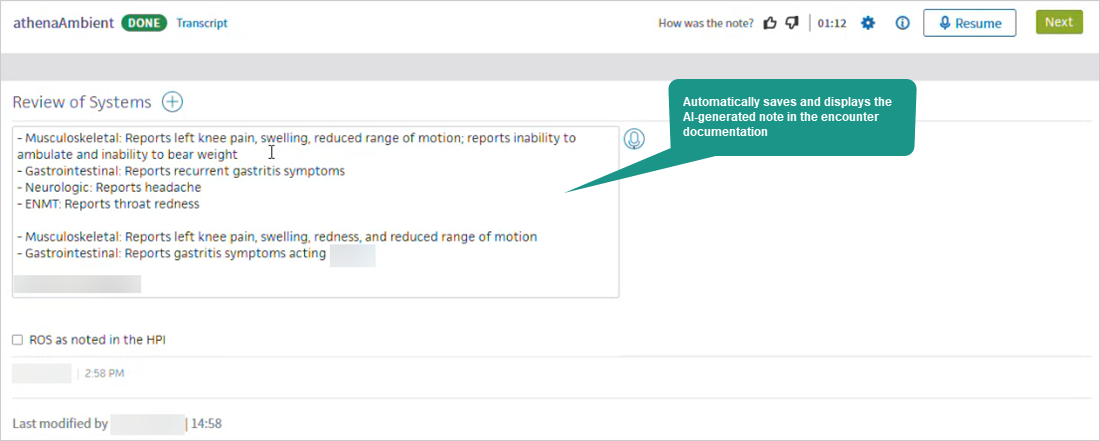
Automatically generates and saves notes in the enccounter
After reviewing the AI-generated note
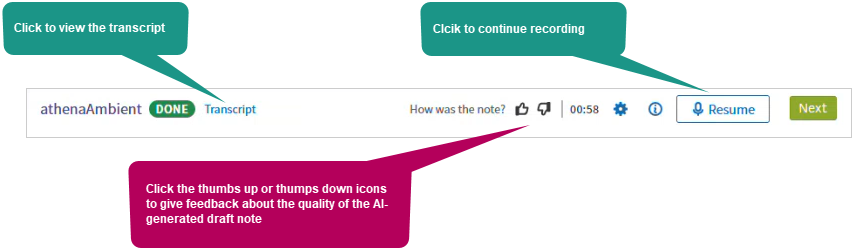
You can review and edit the AI-generated notes before completing encounter sign-off.
View a slide show for athenaOne Mobile
Click on the far right below to advance to the next slide.
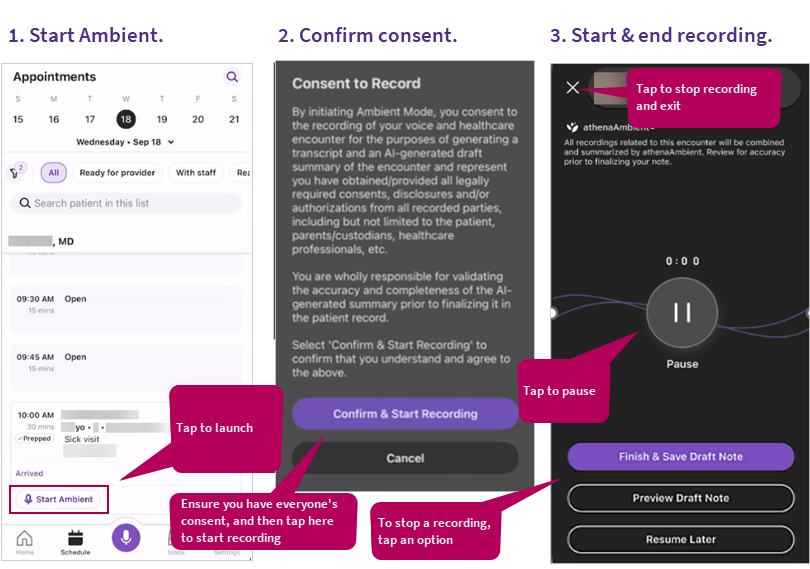
Start and stop recording
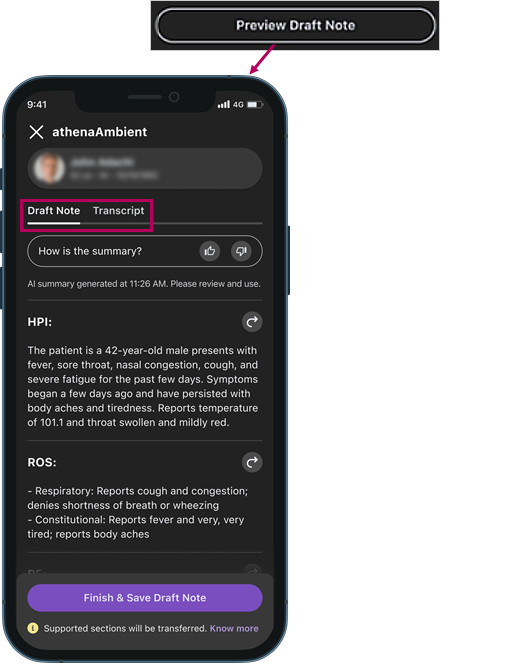
Review the draft note and transcript
Save AI-generated notes to the chart
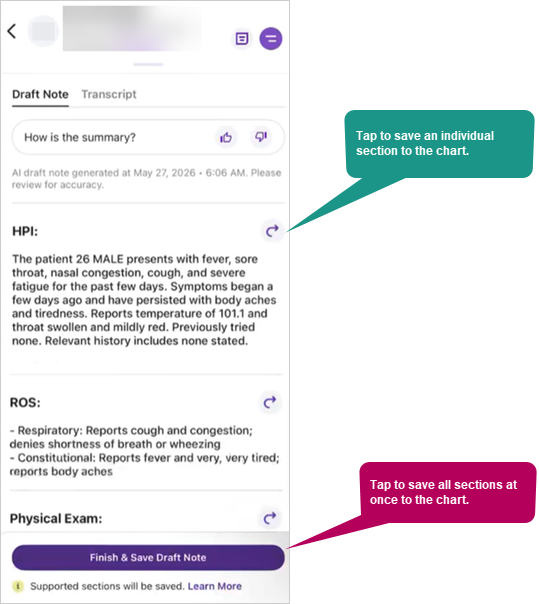
You can go to the Exam tab to review and edit the AI-generated notes before completing encounter sign-off.
Listen to a podcast
Episode 59: Explore the athenaAmbient and AI-native encounter open betas
Getting started
If you're a ...
|
|
|
|
Check out these resources:
|
Check out these resources: |
Check out these resources:
|


Resources
Explore these additional resources.
What's new? |
What's coming? |
|
August 6, 2026 Biweekly Release:
|
|