Ambient Notes Feature Overview
Simplifying clinical documentation
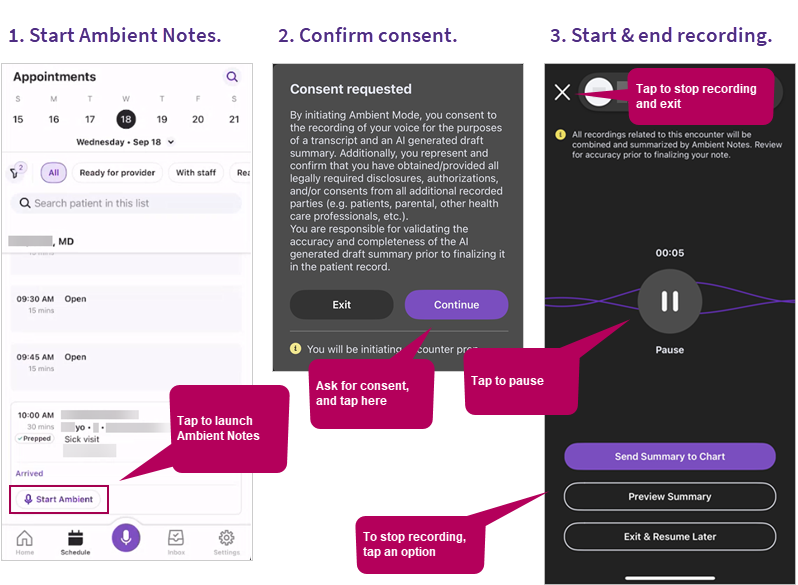
Ambient Notes is an add-on services that enables clinicians to choose from industry-leading ambient models. Ambient Notes simplifies clinical note documentation, using AI-driven ambient listening to record patient visits and summarize the visit note for placement in the patient encounter. By automating the clinical note documentation process and providing a seamless user experience, Ambient Notes empowers clinicians to focus on what matters most — delivering high-quality patient care. Clinicians can try an ambient model for a month and then switch to another model until they find the one that works best for them. Each clinician at a practice can use a different model based on their preferences.
 .
.What you can do after stopping a recording
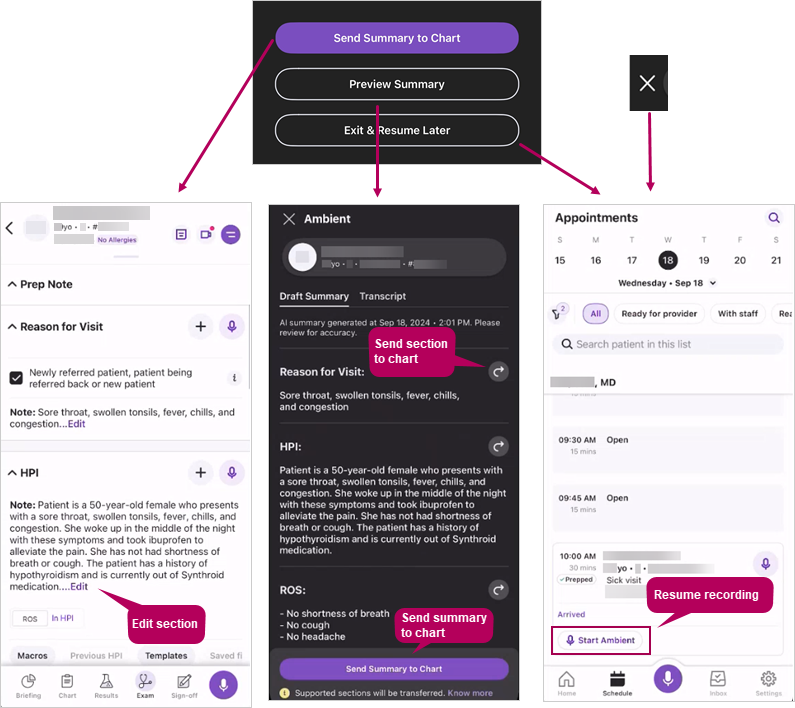
Once the notes are transferred to the patient’s chart, you can use athenaOne Mobile or athenaOne desktop to make edits and finalize your notes.
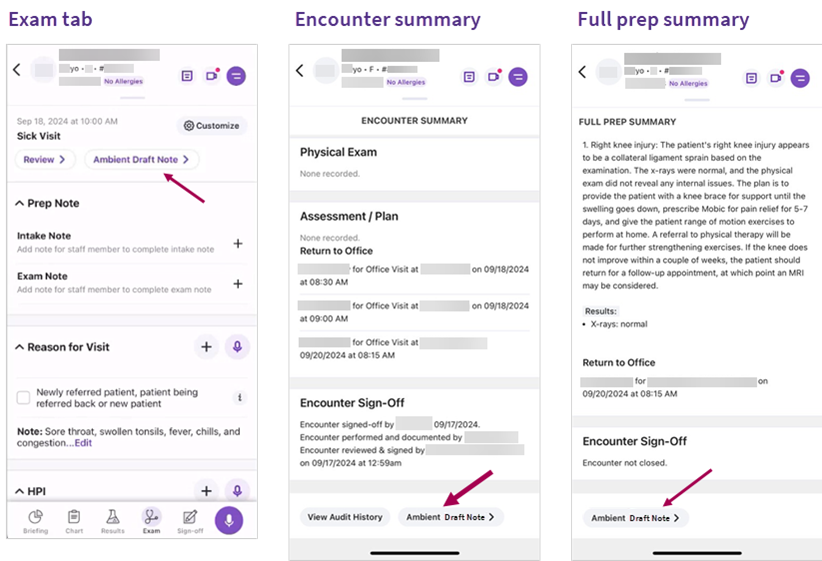
To view the Draft Note and Transcript
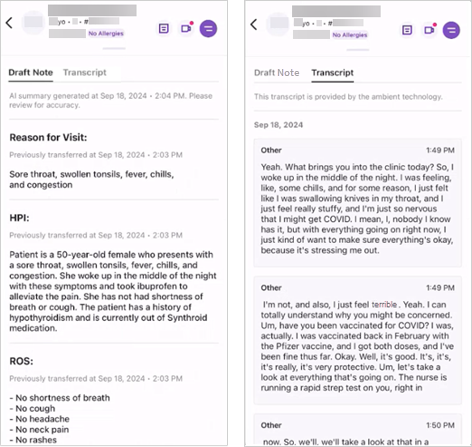
Use the tabs near the top of the page to view the Draft Note and Transcript.
For detailed instructions, see the Ambient Notes help topic.
Getting started
If you're a ...
|
|
|
|
Check out these resources: |
Check out these resources: |
Check out these resources:
|


Resources
Explore these additional resources.
What's new? |
What's coming? |
|
|