 Quick Reference — MAR — To record continuous IV medication order administration
athenaOne for Hospitals & Health Systems
Medications in the MAR can be marked as administered before they are signed by a physician or verified by a pharmacist
- Display the patient's MAR: In the patient chart, click the arrow in the green workflow menu (at the upper right) and select Go to MAR. (The options available in the green workflow menu depend on your user role.)
- Verify that the correct patient is selected. The patient ID number is located in the patient banner, below the patient's name.
If you use a barcode scanner, click anywhere on the screen and then scan the patient's wristband ID. If the barcode matches, you can continue.
The Start option
- Click the continuous IV medication name to administer. The form opens with the start time and the Start option selected at the top right side of the form.
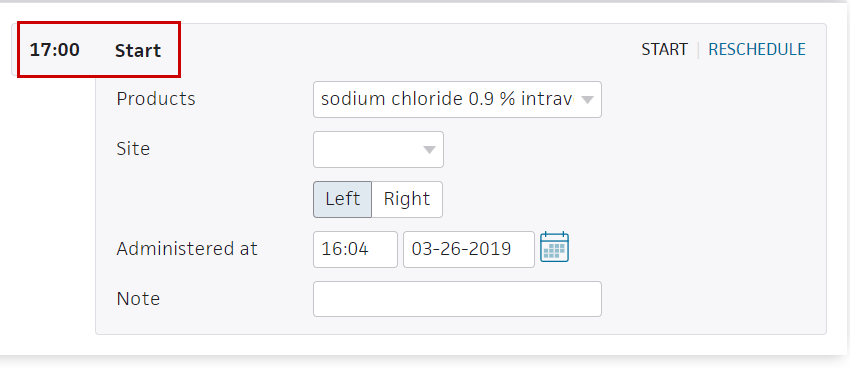
- Products — Select the product if not already selected.
- Site — Select the IV site in the drop-down list, and then indicate Left or Right.
- Administered at — This defaults to the current time and date.
Note: An alert appears if you enter the wrong dose or administer the dose at the wrong time. You can select the override options if needed and enter a reason for the change in the text field. - Note — Enter any notes concerning this medication administration.
- Make sure that only the medications you want to sign are selected and that the bars for those medications have turned green. If the High alert medication message appears, select the Requires validation from another nurse option.

.
The Hold option
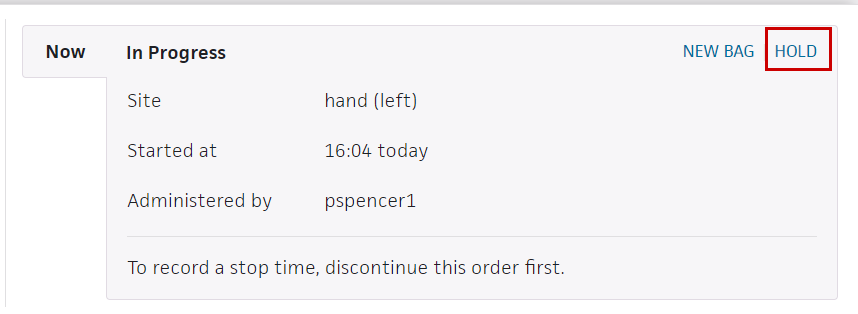
- To place a continuous IV order on hold, click the medication to open the form and and click HOLD at the upper right
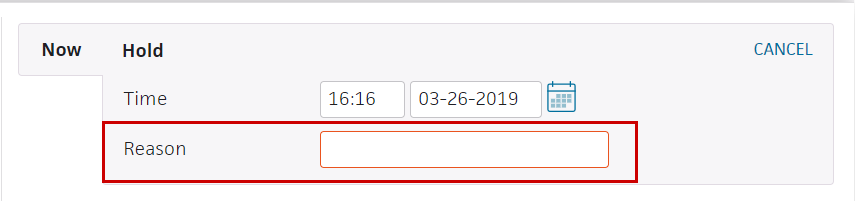
- Reason — Enter the reason for the hold.
- Check the medication's checkbox at the left. The Sign button turns green.
- Click Sign.
The Restart option
- To continue treatment with the same bag, click the medication to open the form and then click RESTART at the upper right.
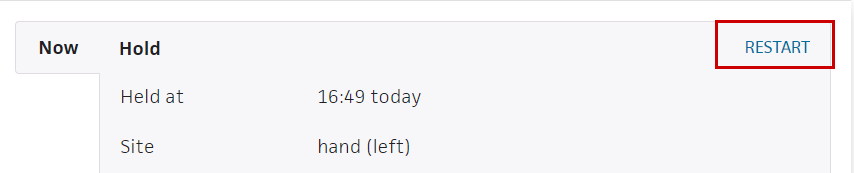
- Review the order details.
- Reason — Enter a reason.
- Check the medication's checkbox at the left. The Sign button turns green.
- Click Sign.
The New Bag option
- To continue the IV treatment with a new bag, click the medication to open the form and click NEW BAG.
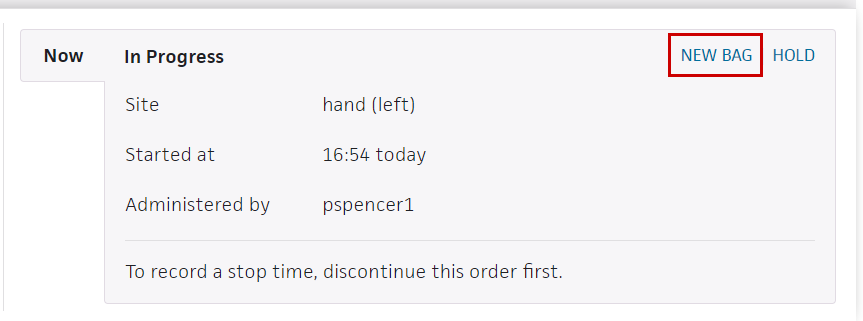
- Amount administered — Enter the amount of medication administered in the previous IV bag.
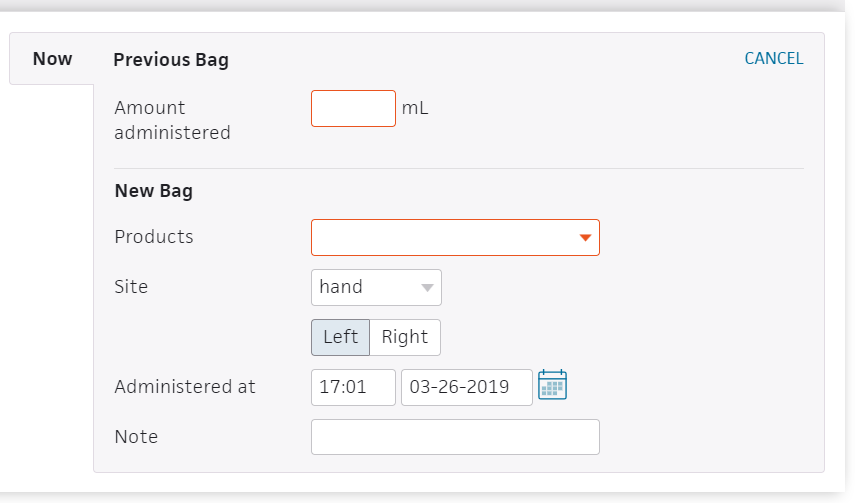
- Product — Select the product for the new bag (if not already selected).
- Note — Enter a note if needed.
- Check the medication's checkbox at the left. The Sign button turns green.
- Click Sign.
The Discontinue option
Every 10 minutes, athenaOne looks for continuous IV orders with an ordered duration. When it finds a continuous IV order that is currently running and has met the ordered duration, athenaOne discontinues the order automatically. The nursing care team receives a notification about the discontinued IV order inthe Patient List, and details about the discontinued order also appearon the Order Entry page and on the Chart Export page.
Note: The start and stop time of the IV administration must be recorded in the MAR by a nurse .
Example 1
When a continuous IV has an ordered duration, such as 24 hours, athenaOne applies the ordered duration to the IV start time, as documented in theMAR, to determine when to automatically discontinue the order.
For example, if the nurse starts the IV at 13:00 on Day 1 and the ordered duration is 24 hours, the nurse can expect athenaOne to automatically discontinue the order between 13:00 and 13:10 on Day 2.
Example 2 (with a hold)
To automatically discontinue an order when it meets the ordered duration, athenaOne takes into account any holds during the IV administration. For example, if the nurse starts the IV at 13:00 on Day 1 and while the IV is running for the ordered duration of 24 hours the nurse holds the IV for 30 minutes by using the Hold workflow in the MAR, the nurse can expect athenaOne to automatically discontinue the order between 13:30 and 13:40 on Day 2.